FGP210VW3 Ilość: 1
$4.99
» Pokaż Szczegóły
HM5012 Ilość: 1
$4.99
» Pokaż Szczegóły
R5000 Ilość: 1
$4.99
» Pokaż Szczegóły
KRP-SW01BG/SXZC/E5 Ilość: 1
$4.99
» Pokaż Szczegóły
CT9888/EAUU10GC Ilość: 1
$4.99
» Pokaż Szczegóły
EH150FXGW06 Ilość: 1
$4.99
» Pokaż Szczegóły
278.405 6/60249 Ilość: 1
$4.99
» Pokaż Szczegóły
DA-45HR Ilość: 1
$4.99
» Pokaż Szczegóły
HIF8050 Ilość: 1
$4.99
» Pokaż Szczegóły
NN-T584 Ilość: 1
$4.99
» Pokaż Szczegóły
RFD290S Ilość: 1
$4.99
» Pokaż Szczegóły
MC148C/37 Ilość: 1
$4.99
» Pokaż Szczegóły
22AH386 Ilość: 1
$4.99
» Pokaż Szczegóły
MPXR1 Ilość: 1
$4.99
» Pokaż Szczegóły
ODYSSEY 11000 Ilość: 1
$4.99
» Pokaż Szczegóły
CHP1772A Ilość: 1
$4.99
» Pokaż Szczegóły
GRSXM77OA Ilość: 1
$4.99
» Pokaż Szczegóły
ARC 7496/1 Ilość: 1
$4.99
» Pokaż Szczegóły
1801 Ilość: 1
$4.99
» Pokaż Szczegóły
AWV 815/2 Ilość: 1
$4.99
» Pokaż Szczegóły
GM-6000F/XR/ES Ilość: 1
$4.99
» Pokaż Szczegóły
FGP210VW4 Ilość: 1
$4.99
» Pokaż Szczegóły
PDR-M5U Ilość: 1
$4.99
» Pokaż Szczegóły
KTRS21KDWH00 Ilość: 1
$4.99
» Pokaż Szczegóły
CVT 2130 Ilość: 1
$4.99
» Pokaż Szczegóły
ADG 8920/1 IX Ilość: 1
$4.99
» Pokaż Szczegóły
770/523-50016 Ilość: 1
$4.99
» Pokaż Szczegóły
CF21T30 Ilość: 1
$4.99
» Pokaż Szczegóły
LVN165W Ilość: 1
$4.99
» Pokaż Szczegóły
CXNSZ7E Ilość: 1
$4.99
» Pokaż Szczegóły
KSRS22FGWH04 Ilość: 1
$4.99
» Pokaż Szczegóły
KGCS127GBT05 Ilość: 1
$4.99
» Pokaż Szczegóły
RT14GDYBW10 Ilość: 1
$4.99
» Pokaż Szczegóły
54337960 Ilość: 1
$4.99
» Pokaż Szczegóły
RBS245PDQ6 Ilość: 1
$4.99
» Pokaż Szczegóły
RFSW150 Ilość: 1
$4.99
» Pokaż Szczegóły
AVR330 Ilość: 1
$4.99
» Pokaż Szczegóły
161.153 2/8184 Ilość: 1
$4.99
» Pokaż Szczegóły
TLG8921 Ilość: 1
$4.99
» Pokaż Szczegóły
AMHX30 D Ilość: 1
$4.99
» Pokaż Szczegóły
W sumie: $199.60
 
English Polski Spanish 
Szukaj instrukcji do
 

(e.g. AA-V20EG JVC, ZX-7 Sony )
PayPal 1000+ rating Secure, Encrypted Checkout.
 
Kategorie
Informacje
Polecamy
Strona główna >> ONKYO >> TXSR700 Instrukcja Obsługi
 
 40 szt. w koszyku 

ONKYO TXSR700
Instrukcja Obsługi


Tweetnij o tym produkcie a dostaniesz $1.00 rabatu!
  • Plik do pobrania
  • Format PDF
  • Kompletna instrukcja
  • Język: English, Spanish, Chinese Simplified, Chinese Traditional
Cena: $4.99

Opis ONKYO TXSR700 Instrukcja Obsługi

Kompletna instrukcja obsługi w formie pliku PDF. Plik PDF zostanie dostarczony na Twój adres email po jego zakupieniu.

Instrukcje obsługi (czasami nazywane także podręcznikiem użytkownika) opisuja funkcje i sposób działania danego produktu.

Instrukcja jest dostępna w następujących językach: English, Spanish, Chinese Simplified, Chinese Traditional

Plik nie jest jeszcze gotowy
Musisz najpierw dokonać zakupu.

Recenzje produktu
Dla tego produktu nie napisano jeszcze recenzji!
Recenzje innych produktów
 CLD3760K PIONEER Instrukcja Obsługi by Sebastian Twardowski;
Dobrej jakości skan - wkońcu mogłem poznać wszystkie funkcje tego odtwarzacza - polecam .
 CDV475 PHILIPS Instrukcja Obsługi by Sebastian Twardowski;
Gruba instrukcja - poprostu wszystko co potrzreba - polecam .

Tekstowy podgląd strony 39 (kliknij aby zobaczyć)
Configuring the speakers
(1) Remember the volume level of this noise and then press the cursor button. The TX-SR700/700E/600/600E will now emit the pink noise from the center speaker. (2) Using the and cursor buttons, adjust the volume level of the noise from the center speaker so that it is at the same level as that that was emitted from the front left speaker. (3) Press the cursor button again. The TX-SR700/700E/600/600E will now emit the pink noise from the front right speaker. Use the and cursor buttons to adjust the volume of the noise from the front left speaker so that it is the same level as that that was emitted from the center speaker. (4) Use the cursor button to select other speakers and adjust the volumes until all speakers are adjusted to the same level. The pink noise level can be adjusted to anywhere between �12 and +12 decibels for all speakers in 1-decibel increments.

Buttons used for navigating through the menus
You can change settings in the Setup Menu using the buttons on the front panel and on the remote controller. The buttons on the remote controller correspond to those on the TXSR700/700E/600/600E as shown below.

Buttons on remote controller

Buttons on TXSR700/700E/600/600E

Displaying the Main Menu and exiting the menu SETUP Selecting a menu or menu item (upper edge of ENTER button) UP MENU

Press the RETURN button to return to the main menu. Press the MENU button on the front panel or SETUP button on the
remote controller button to exit the Setup menu. Using the remote controller 1. Press the TEST button. You will hear a pink noise will be emitted from the front left speaker. (1) Remember the volume level of this noise and then press the CH SEL button. The TX-SR700/700E/600/600E will now emit the pink noise from the center speaker. (2) Using the LEVEL / buttons, adjust the volume level of the noise from the center speaker so that it is at the same level as that that was emitted from the front left speaker. (3) Press the CH SEL button again. The TX-SR700/700E/600/600E will now emit the pink noise from the front right speaker. Use the LEVEL / buttons to adjust the volume of the noise from the front left speaker so that it is the same level as that that was emitted from the center speaker. (4) Use the CH SEL button to select other speakers and adjust the volumes until all speakers are adjusted to the same level. The pink noise level can be adjusted to anywhere between �12 and +12 decibels for all speakers in 1-decibel increments. 2. Press the TEST button to complete the procedure.

(lower edge of ENTER button) Setting the value (left edge of ENTER button)

DOWN

LEFT

(right edge of ENTER button) Selecting the menu ENTER

RIGHT

ENTER

Returning to the previous screen RETURN RETURN

39

Klienci kupując ten produkt kupili także

$4.99

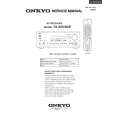
TXSR700 ONKYO
Instrukcja Serwisowa

Kompletna instrukcja serwisowa w formie pliku PDF. Instrukcje serwisowe zazwyczaj zawierają schemat…
>
Parse Time: 0.214 - Number of Queries: 261 - Query Time: 0.069