ADP 5540 WH Ilość: 1
$4.99
» Pokaż Szczegóły
55MS11 Ilość: 1
$4.99
» Pokaż Szczegóły
170B2B99 Ilość: 1
$4.99
» Pokaż Szczegóły
BM550 Ilość: 1
$4.99
» Pokaż Szczegóły
GM-X944/XR/UC Ilość: 1
$4.99
» Pokaż Szczegóły
SS630PER0 Ilość: 1
$4.99
» Pokaż Szczegóły
V4445SV Ilość: 1
$4.99
» Pokaż Szczegóły
ST55850TOP0 Ilość: 1
$4.99
» Pokaż Szczegóły
G5700 Ilość: 1
$4.99
» Pokaż Szczegóły
SD533HD5 Ilość: 1
$4.99
» Pokaż Szczegóły
KV2052ET Ilość: 1
$4.99
» Pokaż Szczegóły
ED25DQXAB00 Ilość: 1
$4.99
» Pokaż Szczegóły
4504 Ilość: 1
$4.99
» Pokaż Szczegóły
GST9679PW1 Ilość: 1
$4.99
» Pokaż Szczegóły
T4 Ilość: 1
$4.99
» Pokaż Szczegóły
GSXK 7583 Ilość: 1
$4.99
» Pokaż Szczegóły
KDA 2400 Ilość: 1
$4.99
» Pokaż Szczegóły
KSN 540 IN Ilość: 1
$4.99
» Pokaż Szczegóły
KXTD1232DBX Ilość: 1
$4.99
» Pokaż Szczegóły
RT21SKXJN00 Ilość: 1
$4.99
» Pokaż Szczegóły
TX32LX500F Ilość: 1
$4.99
» Pokaż Szczegóły
GU3200XTPS5 Ilość: 1
$4.99
» Pokaż Szczegóły
A-702R Ilość: 1
$4.99
» Pokaż Szczegóły
42WP16A Ilość: 1
$4.99
» Pokaż Szczegóły
MCD190/96 Ilość: 1
$4.99
» Pokaż Szczegóły
DPL923VD Ilość: 1
$4.99
» Pokaż Szczegóły
IH9048B Ilość: 1
$4.99
» Pokaż Szczegóły
RQSX55V Ilość: 1
$4.99
» Pokaż Szczegóły
LBTD705CDM Ilość: 1
$4.99
» Pokaż Szczegóły
CB1100-2B Ilość: 1
$4.99
» Pokaż Szczegóły
FEP210EN2 Ilość: 1
$4.99
» Pokaż Szczegóły
RB276PXV0 Ilość: 1
$4.99
» Pokaż Szczegóły
AFB 825/A+ Ilość: 1
$4.99
» Pokaż Szczegóły
M 72-798 DOLBY Ilość: 1
$4.99
» Pokaż Szczegóły
HD-61G787 Ilość: 1
$4.99
» Pokaż Szczegóły
ARL 775/A Ilość: 1
$4.99
» Pokaż Szczegóły
DVD615AT99 Ilość: 1
$4.99
» Pokaż Szczegóły
L76815 Ilość: 1
$4.99
» Pokaż Szczegóły
LAV47285 Ilość: 1
$4.99
» Pokaż Szczegóły
LVI761N Ilość: 1
$4.99
» Pokaż Szczegóły
LEQ8857HQ0 Ilość: 1
$4.99
» Pokaż Szczegóły
MHWZ400TQ00 Ilość: 1
$4.99
» Pokaż Szczegóły
GR-333 Ilość: 1
$4.99
» Pokaż Szczegóły
ZEF90W1 Ilość: 1
$4.99
» Pokaż Szczegóły
BOD/60ST SW Ilość: 1
$4.99
» Pokaż Szczegóły
W sumie: $224.55
 
English Polski Spanish 
Szukaj instrukcji do
 

(e.g. AA-V20EG JVC, ZX-7 Sony )
PayPal 1000+ rating Secure, Encrypted Checkout.
 
Kategorie
Informacje
Polecamy
Strona główna >> AIWA >> XSDS70 Instrukcja Serwisowa
 
 45 szt. w koszyku 

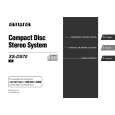
AIWA XSDS70
Instrukcja Serwisowa


Tweetnij o tym produkcie a dostaniesz $1.00 rabatu!
  • Zawiera schematy
  • Plik do pobrania
  • Format PDF
  • Kompletna instrukcja
  • Język: English
Cena: $4.99

Opis AIWA XSDS70 Instrukcja Serwisowa

Kompletna instrukcja serwisowa w formie pliku PDF. Instrukcje serwisowe zazwyczaj zawierają schematy, diagramy drukowanych obwodów (PCB), schematy połączeń, schematy blokowe oraz katalog części. Instrukcje serwisowe są wykorzystywane glównie przez osoby naprawiające uszkodzony sprzęt.

Jeśli chcesz się dowiedzieć jak się obsługuje Twój telewizor, magnetowid, odtwarzacz mp3 itp. powinieneś raczej szukać instrukcji obsługi

Instrukcja jest dostępna w następujących językach: English

Plik nie jest jeszcze gotowy
Musisz najpierw dokonać zakupu.

Recenzje produktu
Dla tego produktu nie napisano jeszcze recenzji!
Recenzje innych produktów
 KPE61MN11 SONY Instrukcja Serwisowa by Grzegorz Zawadzki;
Dokładna dokumentacja, pomogła w szybkiej naprawie telewizora. Dziękuję!
 RCM70L/LB JVC Instrukcja Serwisowa by Damian Mazek;
jedyne do czego mogę mieć zastrzeżenie to jakość zdjęć zawartych w przesłanej instrukcji serwisowej ponieważ są fatalnej jakości, praktycznie nieczytelne. tak poza tym jestem zadowolony to jest to czego szukałem.
 SA-A30E AIWA Instrukcja Serwisowa by Adam Grążka;
Wszystko w porządku. Instrukcja czytelna i kompletna. Dziękuję. all right! thank you.
 KX990SR KENWOOD Instrukcja Serwisowa by Viktor Kapeć;
Bardzo dobra instrukcja. Zawiera wszystko co potrzeba, polecam!
 TA2760 ONKYO Instrukcja Serwisowa by Viktor Kapeć;
Instrukcja jest OK. Schematy czytelne, opisane niektóre procedury.

Tekstowy podgląd strony 4 (kliknij aby zobaczyć)
NOTE ON BEFORE STARTING REPAIR
1. Forced discharge of electrolytic capacitor of power supply block
When repair is going to be attempted in the set that uses relay circuit in the power supply block, electric potential is kept charged across the electrolytic capacitors (C101, 102) even though AC power cord is removed. If repair is attempted in this condition, secondary defect can occur. In order to prevent the secondary trouble, perform the following measures before starting repair work.

Discharge procedure
1 Remove the AC power cord. 2 Connect a discharging resistor at an end of lead wire that has clips at both ends. Connect the other end of the lead wire to metal chassis. 3 Contact the other end of the discharging resistor to the positive (+) side (+VH) of C101. (For two seconds) 4 Contact the same end of the discharging resistor as step 3 to the negative (-) side (-VH) of C102 in the same way. (For two seconds) 5 Check that voltage across C101 and C102 has decreased to 1 V or less using a multimeter or an oscilloscope.

MAIN C.B D101

3 C101 C102

4

2

2

Select a discharging resistor referring to the following table. Charging voltage (V) (C101, 102) 25-48 49-140 Discharging resistor (�) 100 220 Rated power (W) 3 5 Parts number 87-A00-247-090 87-A00-232-090

Fig-1

Note: The reference numbers (C101, C102) of the electrolytic capacitors can change depending on the models. Be sure to check the reference numbers of the charging capacitors on schematic diagram before starting the discharging work.

2. Check items before exchanging the MICROCOMPUTER
Be sure to check the following items before exchanging the MICROCOMPUTER. Exchange the MICROCOMPUTER after confirming that the MICROCOMPUTER is surely defective.

2-1. Regarding the HOLD terminal of the MICROCOMPUTER
When the HOLD terminal (INPUT) of the MICROCOMPUTER is �H�, the MICROCOMPUTER is judged to be operating correctly. When this terminal is �L�, the main power cannot be turned on. Therefore, be sure to check the terminal voltage of the HOLD terminal before exchange. When the MICROCOMPUTER is not defective, the HOLD terminal can also go �L� when the POWER AMPLIFIER has any abnormalities that triggers the abnormality detection circuit on the MAIN C. B. that sets the HOLD terminal to �L�.

� Good or no good judgement of the MICROCOMPUTER
1 Turn on the AC main power. 2 Confirm that the main power is turned on and the HOLD terminal of the MICROCOMPUTER keeps the �H� level or not. 3 When the HOLD terminal is �L� level, the abnormality detection circuit is judged to be working correctly and the MICROCOMPUTER is judged to be good.

�4�

Klienci kupując ten produkt kupili także

$4.99

XSDS70 AIWA
Instrukcja Obsługi

Kompletna instrukcja obsługi w formie pliku PDF. Plik PDF zostanie dostarczony na Twój adres email…
>
Parse Time: 0.543 - Number of Queries: 271 - Query Time: 0.238