APOLLO12 Ilość: 1
$4.99
» Pokaż Szczegóły
KSRX147 Ilość: 1
$4.99
» Pokaż Szczegóły
APOLLO 21 Ilość: 1
$4.99
» Pokaż Szczegóły
FW795W Ilość: 1
$4.99
» Pokaż Szczegóły
ANUBIS A/AB Ilość: 1
$4.99
» Pokaż Szczegóły
HDW 6000 Ilość: 1
$4.99
» Pokaż Szczegóły
MF210C Ilość: 1
$4.99
» Pokaż Szczegóły
SYSTEM-CD130H(BK) Ilość: 1
$4.99
» Pokaż Szczegóły
XG-S208 Ilość: 1
$4.99
» Pokaż Szczegóły
AV24F702 Ilość: 1
$4.99
» Pokaż Szczegóły
SC303B Ilość: 1
$4.99
» Pokaż Szczegóły
AV-21VA15/PC Ilość: 1
$4.99
» Pokaż Szczegóły
ESZ5861/SW Ilość: 1
$4.99
» Pokaż Szczegóły
P5 CHASSIS Ilość: 1
$4.99
» Pokaż Szczegóły
AA164 Ilość: 1
$4.99
» Pokaż Szczegóły
GF8787H/HB Ilość: 1
$4.99
» Pokaż Szczegóły
HD3446 Ilość: 1
$4.99
» Pokaż Szczegóły
KD-S11 Ilość: 1
$4.99
» Pokaż Szczegóły
AV25L311AR Ilość: 1
$4.99
» Pokaż Szczegóły
AV24F704 Ilość: 1
$4.99
» Pokaż Szczegóły
DAU636 Ilość: 1
$4.99
» Pokaż Szczegóły
AZ1407 Ilość: 1
$4.99
» Pokaż Szczegóły
TCD998/I2CC5MP1 Ilość: 1
$4.99
» Pokaż Szczegóły
MCM1404 Ilość: 1
$4.99
» Pokaż Szczegóły
CM9809/05T Ilość: 1
$4.99
» Pokaż Szczegóły
HD4487 Ilość: 1
$4.99
» Pokaż Szczegóły
PC14M39Y2. Ilość: 1
$4.99
» Pokaż Szczegóły
CD5302S/02 Ilość: 1
$4.99
» Pokaż Szczegóły
RADIO CHASSIS 1017 Ilość: 1
$4.99
» Pokaż Szczegóły
KDIC1511 Ilość: 1
$4.99
» Pokaż Szczegóły
CD47337R Ilość: 1
$4.99
» Pokaż Szczegóły
GDM200PST Ilość: 1
$4.99
» Pokaż Szczegóły
26PFL5302D/37B Ilość: 1
$4.99
» Pokaż Szczegóły
300MM F/2.8D II Ilość: 1
$4.99
» Pokaż Szczegóły
HD3412 Ilość: 1
$4.99
» Pokaż Szczegóły
CT6618/BLCCA8CN Ilość: 1
$4.99
» Pokaż Szczegóły
ICF150 Ilość: 1
$4.99
» Pokaż Szczegóły
26CS5790 Ilość: 1
$4.99
» Pokaż Szczegóły
DBR 5890 AL Ilość: 1
$4.99
» Pokaż Szczegóły
PHILADELPHIA SCD 09 Ilość: 1
$4.99
» Pokaż Szczegóły
AV25LH3 Ilość: 1
$4.99
» Pokaż Szczegóły
W622 Ilość: 1
$4.99
» Pokaż Szczegóły
TRK EXCELLENCE/6 Ilość: 1
$4.99
» Pokaż Szczegóły
APOLLO11 Ilość: 1
$4.99
» Pokaż Szczegóły
HD3455B Ilość: 1
$4.99
» Pokaż Szczegóły
KV19XML Ilość: 1
$4.99
» Pokaż Szczegóły
VSS2360/C3T Ilość: 1
$4.99
» Pokaż Szczegóły
AV25LH Ilość: 1
$4.99
» Pokaż Szczegóły
FM540.85 Ilość: 1
$4.99
» Pokaż Szczegóły
WSG5588 A+W Ilość: 1
$4.99
» Pokaż Szczegóły
AV-28RT4SU/C Ilość: 1
$4.99
» Pokaż Szczegóły
AV25LS/D Ilość: 1
$4.99
» Pokaż Szczegóły
FM8500 CHASSIS Ilość: 1
$4.99
» Pokaż Szczegóły
AV24WT5... Ilość: 1
$4.99
» Pokaż Szczegóły
CD63B Ilość: 1
$4.99
» Pokaż Szczegóły
VC150F Ilość: 1
$4.99
» Pokaż Szczegóły
TLG9213 Ilość: 1
$4.99
» Pokaż Szczegóły
21HT3352 Ilość: 1
$4.99
» Pokaż Szczegóły
CDC407H Ilość: 1
$4.99
» Pokaż Szczegóły
MZ7/21 Ilość: 1
$4.99
» Pokaż Szczegóły
M 70-1690 LOG Ilość: 1
$4.99
» Pokaż Szczegóły
F531 100HZ Ilość: 1
$4.99
» Pokaż Szczegóły
990DB Ilość: 1
$4.99
» Pokaż Szczegóły
SD-278EKF Ilość: 1
$4.99
» Pokaż Szczegóły
AWE 4626 Ilość: 1
$4.99
» Pokaż Szczegóły
ART 474 M Ilość: 1
$4.99
» Pokaż Szczegóły
GDM205HT Ilość: 1
$4.99
» Pokaż Szczegóły
W sumie: $334.33
 
English Polski Spanish 
Szukaj instrukcji do
 

(e.g. AA-V20EG JVC, ZX-7 Sony )
PayPal 1000+ rating Secure, Encrypted Checkout.
 
Kategorie
Informacje
Polecamy
Strona główna >> AIWA >> ZA60 Instrukcja Obsługi
 
 67 szt. w koszyku 

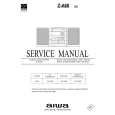
AIWA ZA60
Instrukcja Obsługi


Tweetnij o tym produkcie a dostaniesz $1.00 rabatu!
  • Plik do pobrania
  • Format PDF
  • Kompletna instrukcja
  • Język: English
Cena: $4.99

Opis AIWA ZA60 Instrukcja Obsługi

Kompletna instrukcja obsługi w formie pliku PDF. Plik PDF zostanie dostarczony na Twój adres email po jego zakupieniu.

Instrukcje obsługi (czasami nazywane także podręcznikiem użytkownika) opisuja funkcje i sposób działania danego produktu.

Instrukcja jest dostępna w następujących językach: English

Plik nie jest jeszcze gotowy
Musisz najpierw dokonać zakupu.

Recenzje produktu
Dla tego produktu nie napisano jeszcze recenzji!

Tekstowy podgląd strony 12 (kliknij aby zobaczyć)
INSERTING BLANK SPACES
4-second blank spaces can be inserted at the desired point during recording. (Applicable when the source is TUNER or VIDEO/ AUX/PHONO.)

DUBBING
s

1 Press wREC/REC MUTE during recording or while in recording pause mode.
4 on the display flashes for 4 seconds and a 4-second blank space is made. Then, the deck enters the recording pause mode.

w REC/ REC MUTE

TAPE/ DECK 1/2

SYNC DUB DECK 1 DECK 2

2 Press a to resume recording.
To insert a blank space of less than 4 seconds, press wREC/ REC MUTE again while 4 is flashing. To insert blank spaces of more than 4 seconds, after the deck enters recording pause mode, press wREC/REC MUTE again. Each time the button is pressed, a 4-second blank space is added.

Preparation
� Set the tape to the point where recording will start. � Note that recording will be done on one side of the tape only.

1 Press TAPE/DECK 1/2. 2 Insert the original tape into Deck 1 and the tape to be recorded on into Deck 2.
Insert the tapes with the sides to be played back or recorded on first facing out from the unit.

3 Press TAPE/DECK 1/2 to select Deck 1.
About cassette tapes
� To prevent accidental erasure, break off the plastic tabs on the cassette tape after recording with a screwdriver or other pointed tool. �TP1� is displayed.

4 Press wREC/REC MUTE to start recording.
Playing and recording start simultaneously.

To stop dubbing
Press s. To record on the tape again, cover the tab openings with adhesive tape, etc. � 120-minute or longer tapes are extremely thin and easily deformed or damaged. They are not recommended. � Take up any slack in the tape with a pencil or similar tool before use. Slack tape may break or jam in the mechanism.

DUBBING THE WHOLE TAPE
This function allows you to make exact copies of both sides of the original tape. NOTE � Dubbing does not start from a point halfway in the tape. � Note that recording will be done on one side of the tape only.

1 Press TAPE/DECK 1/2. 2 Insert the original tape into Deck 1 and the tape to be recorded on into Deck 2.
Insert each tape with the side to be played back or recorded on first facing out from the unit.

3 Press SYNC DUB to start recording.
�DUBBING� appears on the display. The tapes are rewound to the beginning of the front sides, and recording starts.

To erase a recording
A previous recording is erased when a new recording is made on that part of that tape. 1 Insert the tape to be erased into Deck 2 and press TAPE/ DECK 1/2 to display �TP2�. 2 Wind up the tape to the point where the erasure is to be started. 3 Press wREC/REC MUTE to start the erasure.

To stop dubbing
Press s. NOTE Recording does not start if the erasure prevention tab for the side of the tape facing out from the unit is broken off.

12 ENGLISH

Klienci kupując ten produkt kupili także

$4.99

ZA60 AIWA
Instrukcja Serwisowa

Kompletna instrukcja serwisowa w formie pliku PDF. Instrukcje serwisowe zazwyczaj zawierają schemat…
>
Parse Time: 1.095 - Number of Queries: 336 - Query Time: 0.524