AV21F7 Ilość: 1
$4.99
» Pokaż Szczegóły
KXFLB751PR Ilość: 1
$4.99
» Pokaż Szczegóły
HS-JX2000 Ilość: 1
$4.99
» Pokaż Szczegóły
GR-SZ1EG Ilość: 1
$4.99
» Pokaż Szczegóły
AVR780 Ilość: 1
$4.99
» Pokaż Szczegóły
BSZ 5800 WS Ilość: 1
$4.99
» Pokaż Szczegóły
FJS904CV Ilość: 1
$4.99
» Pokaż Szczegóły
ACP-5200 RDS Ilość: 1
$4.99
» Pokaż Szczegóły
ADP 6735 IX Ilość: 1
$4.99
» Pokaż Szczegóły
CT-R410 Ilość: 1
$4.99
» Pokaż Szczegóły
SF-3900A Ilość: 1
$4.99
» Pokaż Szczegóły
VS20EO Ilość: 1
$4.99
» Pokaż Szczegóły
29G4GA1E Ilość: 1
$4.99
» Pokaż Szczegóły
VR4479 Ilość: 1
$4.99
» Pokaż Szczegóły
KRC-258LG Ilość: 1
$4.99
» Pokaż Szczegóły
7640115510 Ilość: 1
$4.99
» Pokaż Szczegóły
VSX-D938TX/HL Ilość: 1
$4.99
» Pokaż Szczegóły
W sumie: $84.83
 
English Polski Spanish 
Szukaj instrukcji do
 

(e.g. AA-V20EG JVC, ZX-7 Sony )
PayPal 1000+ rating Secure, Encrypted Checkout.
 
Kategorie
Informacje
Polecamy
Strona główna >> SONY >> DSCP9 Instrukcja Obsługi
 
 17 szt. w koszyku 

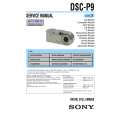
SONY DSCP9
Instrukcja Obsługi


Tweetnij o tym produkcie a dostaniesz $1.00 rabatu!
  • Plik do pobrania
  • Format PDF
  • Kompletna instrukcja
  • Język: English, Spanish, Portuguese
Cena: $4.99

Opis SONY DSCP9 Instrukcja Obsługi

Kompletna instrukcja obsługi w formie pliku PDF. Plik PDF zostanie dostarczony na Twój adres email po jego zakupieniu.

Instrukcje obsługi (czasami nazywane także podręcznikiem użytkownika) opisuja funkcje i sposób działania danego produktu.

Instrukcja jest dostępna w następujących językach: English, Spanish, Portuguese

Plik nie jest jeszcze gotowy
Musisz najpierw dokonać zakupu.

Recenzje produktu
Dla tego produktu nie napisano jeszcze recenzji!

Tekstowy podgląd strony 67 (kliknij aby zobaczyć)
f To protect other images, repeat Step 5. g Press MENU.
The menu appears.

For the Index (three images) screen a Set the mode dial to , press the zoom W button twice to switch to the Index (three images) screen. b Move the image you want to protect to the center using b/ B. c Press MENU.
The menu appears

To release protection
In Step 4, select the image from which you want to release protection, and press the center z. To release protection from all of your images, repeat this process for each of them.

h Select [OK] using the B, then press the center z.
The selected image is protected.

To cancel the protection
Select [CANCEL] in Step 4 or select [EXIT] in Step 8.

To release protection
In Step 5, using v/V/b/B, select an image for which you want to release protection, and press the center z. Repeat this operation for all the images for which you want to release protection. Then, press MENU, select [OK], and press the center z.

d Select [PROTECT] using v/V, then press the center z.
The center image is protected, and a - (Protect) mark is placed on that image.

PRINT PROTECT

Still image editing

To protect all your images
In Step 4, select [ALL], then press the center z. Next, select [ON], then press the center z.
� OK
100-0005

DELETE

2002 7 4 10:30PM

To release all protection
In Step 4, select [ALL], and press the center z. Then select [OFF], and press the center z.

e To protect other images, move the image you want to protect to the center using b/B, and repeat Step 4.

67

Klienci kupując ten produkt kupili także

$4.99

DSCP9 SONY
Instrukcja Serwisowa

Kompletna instrukcja serwisowa w formie pliku PDF. Instrukcje serwisowe zazwyczaj zawierają schemat…
>
Parse Time: 0.308 - Number of Queries: 168 - Query Time: 0.089