CT20G8G Ilość: 1
$4.99
» Pokaż Szczegóły
70DSS930 Ilość: 1
$4.99
» Pokaż Szczegóły
GJC3655RP00 Ilość: 1
$4.99
» Pokaż Szczegóły
RT14EKRBW00 Ilość: 1
$4.99
» Pokaż Szczegóły
FM-120L Ilość: 1
$4.99
» Pokaż Szczegóły
KSM15X0 Ilość: 1
$4.99
» Pokaż Szczegóły
WAK 7770 Ilość: 1
$4.99
» Pokaż Szczegóły
CDXMG6036zh Ilość: 1
$4.99
» Pokaż Szczegóły
TLP-T520E Ilość: 1
$4.99
» Pokaż Szczegóły
AWV 695/IG Ilość: 1
$4.99
» Pokaż Szczegóły
KSERIES Ilość: 1
$4.99
» Pokaż Szczegóły
14PV202/01 Ilość: 1
$4.99
» Pokaż Szczegóły
DVD840/691 Ilość: 1
$4.99
» Pokaż Szczegóły
XV-HTD5/DLXJ/NC Ilość: 1
$4.99
» Pokaż Szczegóły
EBC2G.3CN Ilość: 1
$4.99
» Pokaż Szczegóły
STRV919 Ilość: 1
$4.99
» Pokaż Szczegóły
WSSC132 Ilość: 1
$4.99
» Pokaż Szczegóły
28PW5407/05 Ilość: 1
$4.99
» Pokaż Szczegóły
GS395LEGZ6 Ilość: 1
$4.99
» Pokaż Szczegóły
CBZ9825F Ilość: 1
$4.99
» Pokaż Szczegóły
KT-74L Ilość: 1
$4.99
» Pokaż Szczegóły
6419TC Ilość: 1
$4.99
» Pokaż Szczegóły
GSUK 4507 WH Ilość: 1
$4.99
» Pokaż Szczegóły
PD-F1009/KU/CA Ilość: 1
$4.99
» Pokaż Szczegóły
SF337PEYN0 Ilość: 1
$4.99
» Pokaż Szczegóły
ASE 579 Ilość: 1
$4.99
» Pokaż Szczegóły
NVSJ202 Ilość: 1
$4.99
» Pokaż Szczegóły
KBRP20EMSS00 Ilość: 1
$4.99
» Pokaż Szczegóły
ET19RKXGN00 Ilość: 1
$4.99
» Pokaż Szczegóły
CD1302S/73 Ilość: 1
$4.99
» Pokaż Szczegóły
KG166 Ilość: 1
$4.99
» Pokaż Szczegóły
PT813-2 Ilość: 1
$4.99
» Pokaż Szczegóły
TX28/25XD4P/A Ilość: 1
$4.99
» Pokaż Szczegóły
AKZM 754/IX Ilość: 1
$4.99
» Pokaż Szczegóły
LER6644DZ0 Ilość: 1
$4.99
» Pokaż Szczegóły
E33512-4-W DE R07 Ilość: 1
$4.99
» Pokaż Szczegóły
SL-PS700 Ilość: 1
$4.99
» Pokaż Szczegóły
Si360W Ilość: 1
$4.99
» Pokaż Szczegóły
QT1057FX Ilość: 1
$4.99
» Pokaż Szczegóły
VCLHG2037X Ilość: 1
$4.99
» Pokaż Szczegóły
CUE9CKP Ilość: 1
$4.99
» Pokaż Szczegóły
TOURNESOL 1350 Ilość: 1
$4.99
» Pokaż Szczegóły
117.123.0 Ilość: 1
$4.99
» Pokaż Szczegóły
W sumie: $214.57
 
English Polski Spanish 
Szukaj instrukcji do
 

(e.g. AA-V20EG JVC, ZX-7 Sony )
PayPal 1000+ rating Secure, Encrypted Checkout.
 
Kategorie
Informacje
Polecamy
Strona główna >> KENWOOD >> MDX-01 Instrukcja Obsługi
 
 43 szt. w koszyku 

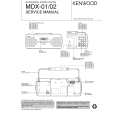
KENWOOD MDX-01
Instrukcja Obsługi


Tweetnij o tym produkcie a dostaniesz $1.00 rabatu!
  • Plik do pobrania
  • Format PDF
  • Kompletna instrukcja
  • Język: English, Japanese
Cena: $4.99

Opis KENWOOD MDX-01 Instrukcja Obsługi

Kompletna instrukcja obsługi w formie pliku PDF. Plik PDF zostanie dostarczony na Twój adres email po jego zakupieniu.

Instrukcje obsługi (czasami nazywane także podręcznikiem użytkownika) opisuja funkcje i sposób działania danego produktu.

Instrukcja jest dostępna w następujących językach: English, Japanese

Plik nie jest jeszcze gotowy
Musisz najpierw dokonać zakupu.

Recenzje produktu
Dla tego produktu nie napisano jeszcze recenzji!

Tekstowy podgląd strony 17 (kliknij aby zobaczyć)
Basic section

To tune a radio station using numeric keys :
Input the preset number of the desired station using the numeric keys on the remote. Examples : Track No. 23 : +10, +10, 3 Track No. 40 : +10, +10, +10, +10, 0

Receiving non-preset broadcast stations
A radio station can be tuned either by auto tuning or manual tuning according to the current reception condition.
(1) Press the STOP 7 /TUNE MODE key of the main unit (or the AUTO/MANU. key on the remote) to select the tuning mode. When "AUTO" is lit: Indicates the auto mode (stereo reception) which is suitable when the receiving condition is good. When "AUTO" is not lit: Indicates the manual mode (monaural reception) which is suitable when the receiving condition is poor.
÷ Usually leave "AUTO" lit (auto tuning mode, stereo reception).

(2) While "AUTO" or "MANUAL" is lit, press the 4 or ¢ key of the main unit to start tuning. Tuning can also be started by pressing the 1 or ¡ key on the remote. Auto tuning: Each press of the key tunes the next station automatically. Manual tuning: Press and hold the key until the next station is tuned.
"TUNED" lights when a station is received "STEREO" lights when a stereo station is received "AUTO" lights in auto tuning mode Frequency display

÷ When the unit is in the STANDBY mode, simply pressing the TUNER FM/AM key (or the FM/AM key on the remote) turns the power ON and starts radio play automatically. (One-touch operation) ÷ Press and hold the 4 or ¢ key during tuning to skip unnecessary radio stations. ÷ Every time the TIME DISPLAY key on the remote is pressed, the display is switched alternately between the frequency display and time of day display.

17 EN

Klienci kupując ten produkt kupili także

$4.99

MDX01 KENWOOD
Instrukcja Serwisowa

Kompletna instrukcja serwisowa w formie pliku PDF. Instrukcje serwisowe zazwyczaj zawierają schemat…
>
Parse Time: 0.235 - Number of Queries: 262 - Query Time: 0.067