VCL-R2052 Ilość: 1
$4.99
» Pokaż Szczegóły
CMTNE3 Ilość: 1
$4.99
» Pokaż Szczegóły
DVNC70U Ilość: 1
$4.99
» Pokaż Szczegóły
Z41SBI Ilość: 1
$4.99
» Pokaż Szczegóły
PDV310G Ilość: 1
$4.99
» Pokaż Szczegóły
DVT6300 Ilość: 1
$4.99
» Pokaż Szczegóły
CDA7878R Ilość: 1
$4.99
» Pokaż Szczegóły
SF603-3 Ilość: 1
$4.99
» Pokaż Szczegóły
FX911Z Ilość: 1
$4.99
» Pokaż Szczegóły
SK91205-4I Ilość: 1
$4.99
» Pokaż Szczegóły
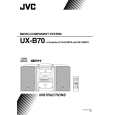
UX-B70EB Ilość: 1
$4.99
» Pokaż Szczegóły
RC8200XYN0 Ilość: 1
$4.99
» Pokaż Szczegóły
IA 60 PLUS Ilość: 1
$4.99
» Pokaż Szczegóły
503 Ilość: 1
$4.99
» Pokaż Szczegóły
TCD288/AVBAAAAG Ilość: 1
$4.99
» Pokaż Szczegóły
ZBN725W Ilość: 1
$4.99
» Pokaż Szczegóły
A-337 Ilość: 1
$4.99
» Pokaż Szczegóły
PCGV505DX Ilość: 1
$4.99
» Pokaż Szczegóły
CTV2025 Ilość: 1
$4.99
» Pokaż Szczegóły
DVR-541H-S/RFXV Ilość: 1
$4.99
» Pokaż Szczegóły
FWC170/21 Ilość: 1
$4.99
» Pokaż Szczegóły
ELZ 6160/IN Ilość: 1
$4.99
» Pokaż Szczegóły
TT123 Ilość: 1
$4.99
» Pokaż Szczegóły
AV27F803S Ilość: 1
$4.99
» Pokaż Szczegóły
AWA 5098 Ilość: 1
$4.99
» Pokaż Szczegóły
SV-2577S Ilość: 1
$4.99
» Pokaż Szczegóły
5258W Ilość: 1
$4.99
» Pokaż Szczegóły
EHT672W Ilość: 1
$4.99
» Pokaż Szczegóły
LPA 76 Ilość: 1
$4.99
» Pokaż Szczegóły
JXT9130CDP Ilość: 1
$4.99
» Pokaż Szczegóły
JT 379 WH Ilość: 1
$4.99
» Pokaż Szczegóły
ACP552XS0 Ilość: 1
$4.99
» Pokaż Szczegóły
XV-N422SAS Ilość: 1
$4.99
» Pokaż Szczegóły
GR-FX17EX Ilość: 1
$4.99
» Pokaż Szczegóły
W sumie: $169.66
 
English Polski Spanish 
Szukaj instrukcji do
 

(e.g. AA-V20EG JVC, ZX-7 Sony )
PayPal 1000+ rating Secure, Encrypted Checkout.
 
Kategorie
Informacje
Polecamy
Strona główna >> JVC >> RV-DP100BK Instrukcja Obsługi
 
 34 szt. w koszyku 

JVC RV-DP100BK
Instrukcja Obsługi


Tweetnij o tym produkcie a dostaniesz $1.00 rabatu!
  • Plik do pobrania
  • Format PDF
  • Kompletna instrukcja
  • Język: English, French, Spanish
Cena: $4.99

Opis JVC RV-DP100BK Instrukcja Obsługi

Kompletna instrukcja obsługi w formie pliku PDF. Plik PDF zostanie dostarczony na Twój adres email po jego zakupieniu.

Instrukcje obsługi (czasami nazywane także podręcznikiem użytkownika) opisuja funkcje i sposób działania danego produktu.

Instrukcja jest dostępna w następujących językach: English, French, Spanish

Plik nie jest jeszcze gotowy
Musisz najpierw dokonać zakupu.

Recenzje produktu
Dla tego produktu nie napisano jeszcze recenzji!

Tekstowy podgląd strony 13 (kliknij aby zobaczyć)
You can preset up to 30 FM stations and up to 15 AM (MW/LW) stations. Note: Preset numbers may have been set to factory test frequencies prior to shipment. This is not a malfunction. You can preset the stations you want into memory by following one of the presetting methods below:

Manual Presetting ���������
TUNER
BAND FM MODE

REW

MULTI CONTROL

FF

Number key (For 2 seconds)

s Select a band (either AM or FM/FM-MODE) 1.
by pressing the TUNER BAND button.

s Press the 4 or ¢ button to tune in a sta2.
tion.

s Press the number key for more than two 3.
seconds to store in memory for the desired preset number.
The preset number blinks for four seconds and then the preset station for the preset number appears. Example: To preset the tuned station to the preset number 15, press +10 then 5 for more than two seconds. The display changes as follows.
(Tuned station) (For 2 seconds)

s Repeat above steps 1 to 3 for each station 4.
you want to store in memory with a preset number.
To change the preset stations, repeat the same steps as above to overwrite a new station.

Auto Presetting ����������
In each band, you can automatically preset FM-30, AM(MW/LW)15 stations. Preset numbers will be allocated as stations are found, starting from the lowest station and moving up the frequency.
TUNER
BAND FM MODE

AUTO PRESET

(For 2 seconds)

s Select a band (either AM or FM/FM-MODE) 1.
by pressing the TUNER BAND button.

s Press one of the following buttons. 2.
On the Unit: Press the PRESET TUNING button for more than two seconds. On the Remote Control: Press the AUTO PRESET button on the Remote Control for more than two seconds.

s Repeat steps 1 and 2 for the other band. 3.
s
If you want to change the preset stations, carry out the Manual Presetting for the desired preset numbers. CAUTION: To prevent the preset stations from being erased because of a power failure, etc., install memory backup batteries in the System. (See page 4.)

9

English

Presetting Stations

Klienci kupując ten produkt kupili także

$4.99

RVDP100BK JVC
Instrukcja Serwisowa

Kompletna instrukcja serwisowa w formie pliku PDF. Instrukcje serwisowe zazwyczaj zawierają schemat…
>
Parse Time: 0.505 - Number of Queries: 226 - Query Time: 0.214